how to download instagram data
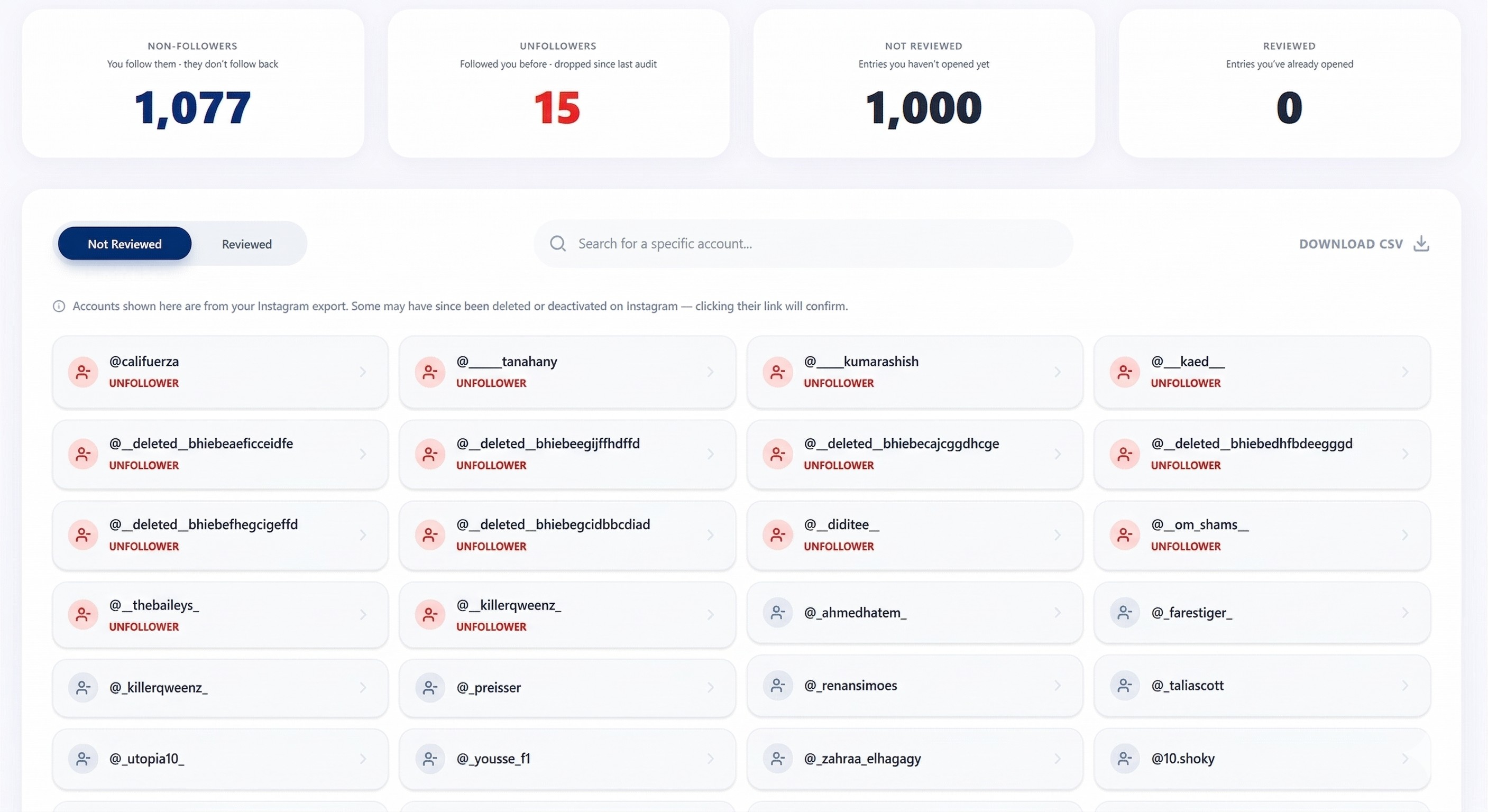
Finding unfollowers on Instagram safely used to be difficult — until Berwazeta. Berwazeta helps you find people who do not follow you back and users who unfollowed you on Instagram using the data you request directly from Instagram. This guide walks you through the full process step by step.
Summary of Instructions to Find Unfollowers on Berwazeta
Berwazeta works by analyzing your Instagram data to show who unfollowed you and who never followed you back. The process is slightly different depending on whether you are using the Instagram Website (desktop) or the Instagram App (mobile).
Step 1 - Choose Your Platform
If you’re on the Instagram Website (desktop)
- Open Instagram in your web browser.
-
Click
this link
while logged into the account you want to check.
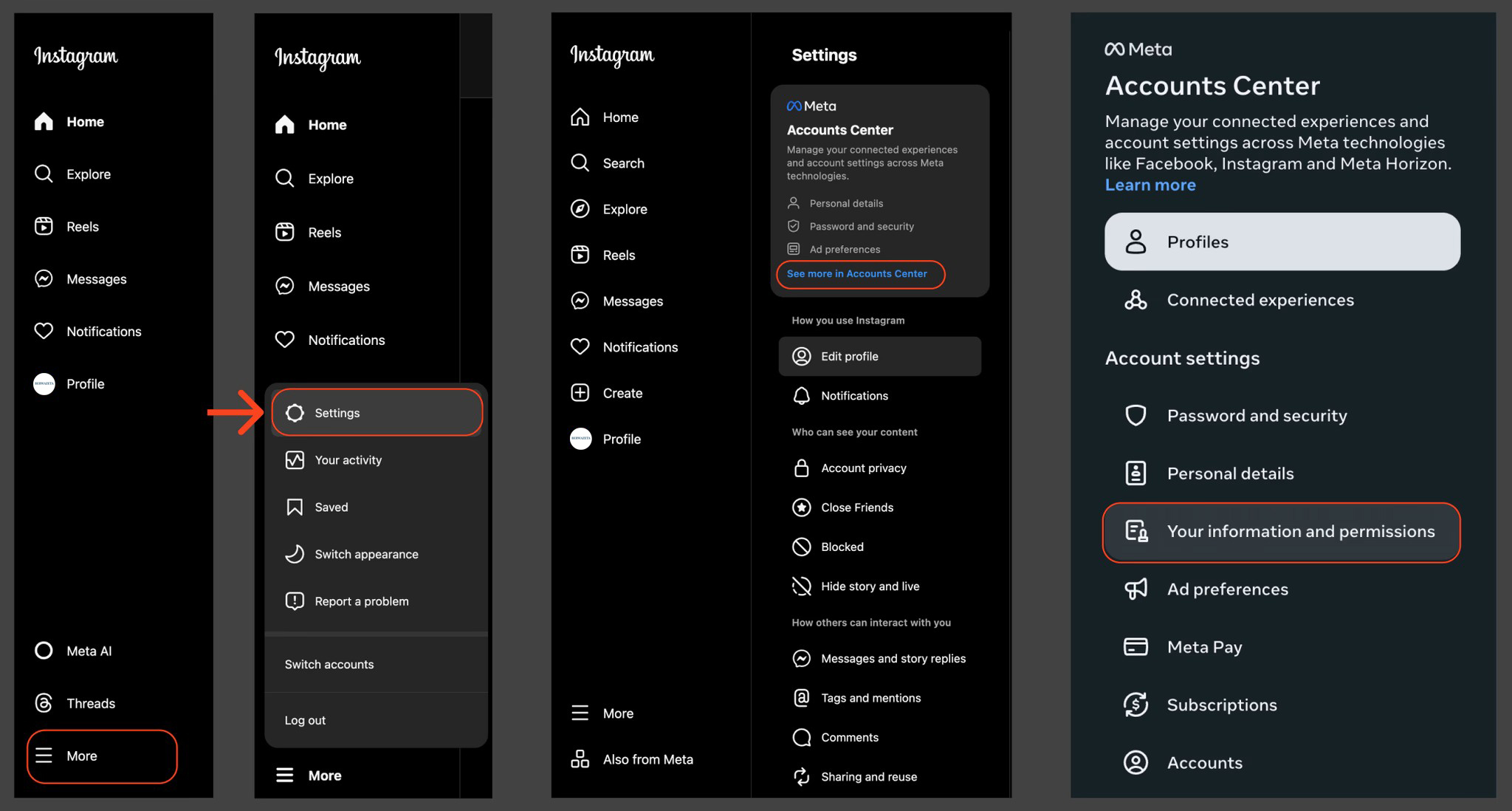
- If the link doesn’t work: Go to More → Settings → See more in Accounts Center.
- Click Your information and permissions.
- Continue to Step 2 - What text do you see right now?
If you’re on the Instagram App (mobile)
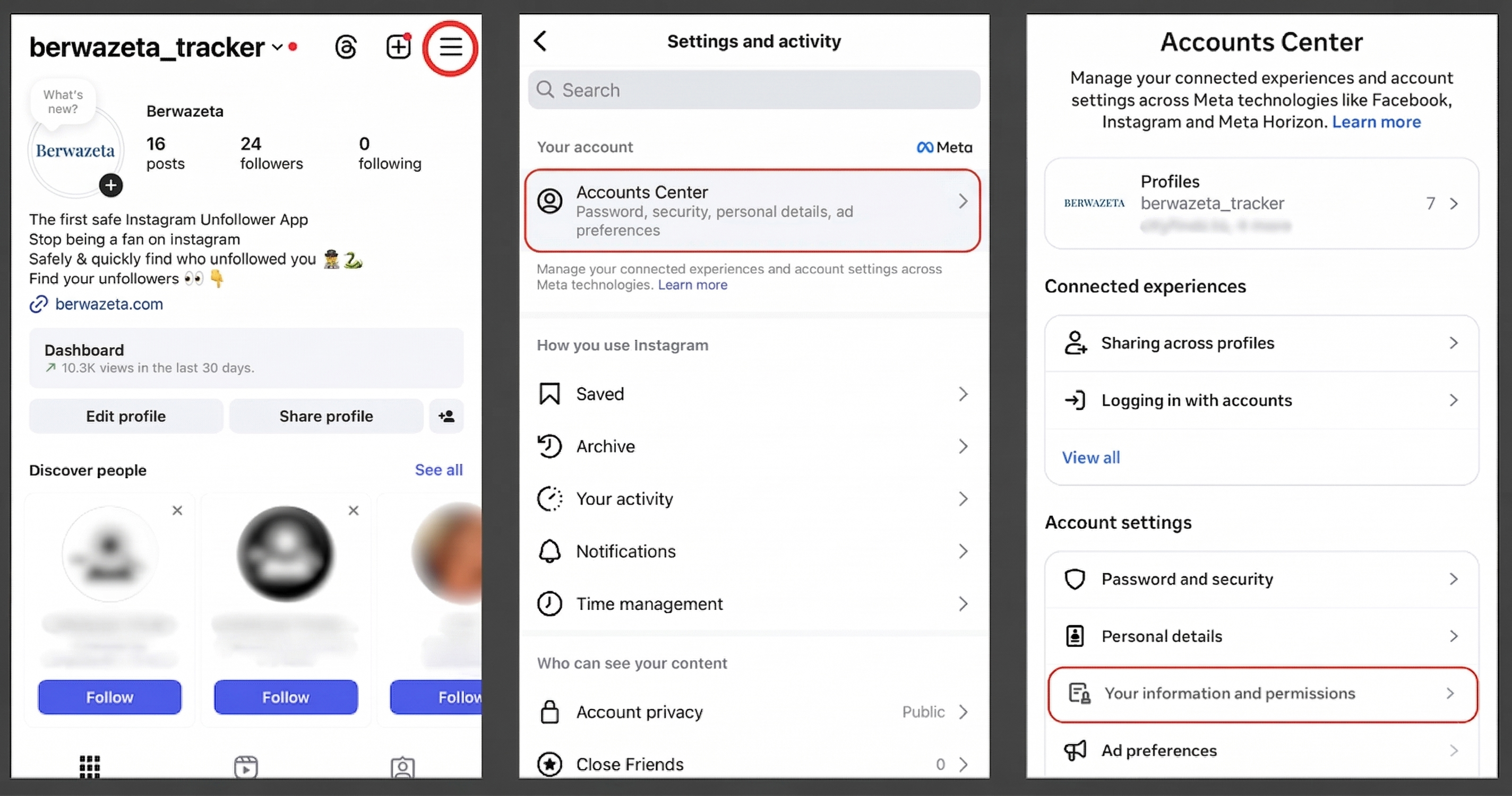
- Open Instagram and go to your profile.
- Tap the menu icon in the top-right corner.
- Tap Accounts Center.
- Tap Your information and permissions.
- Continue to Step 2 - What text do you see right now?
Step 2 - What text do you see right now?
Look closely at your screen and match the wording you see:
- If you see Export your information → follow Path A.
- If you see Download your information → follow Path B.
- Can’t find either one? Go back to Accounts Center → Your information and permissions.
- Picked the wrong one? Just go back and choose the other path.
Path A - Export your information
This works the same on the Website and the App.
- Click or tap Export your information.
- Click or tap Create export.
- If prompted, select the correct Instagram account.
- Click or tap Export to device.
- On Confirm your export, click Customize information.
- Uncheck everything, then only select Followers and Following under Connections.
- Click Save.
- Set Date range to All time.
- Set Format to JSON.
- Click or tap Start export.
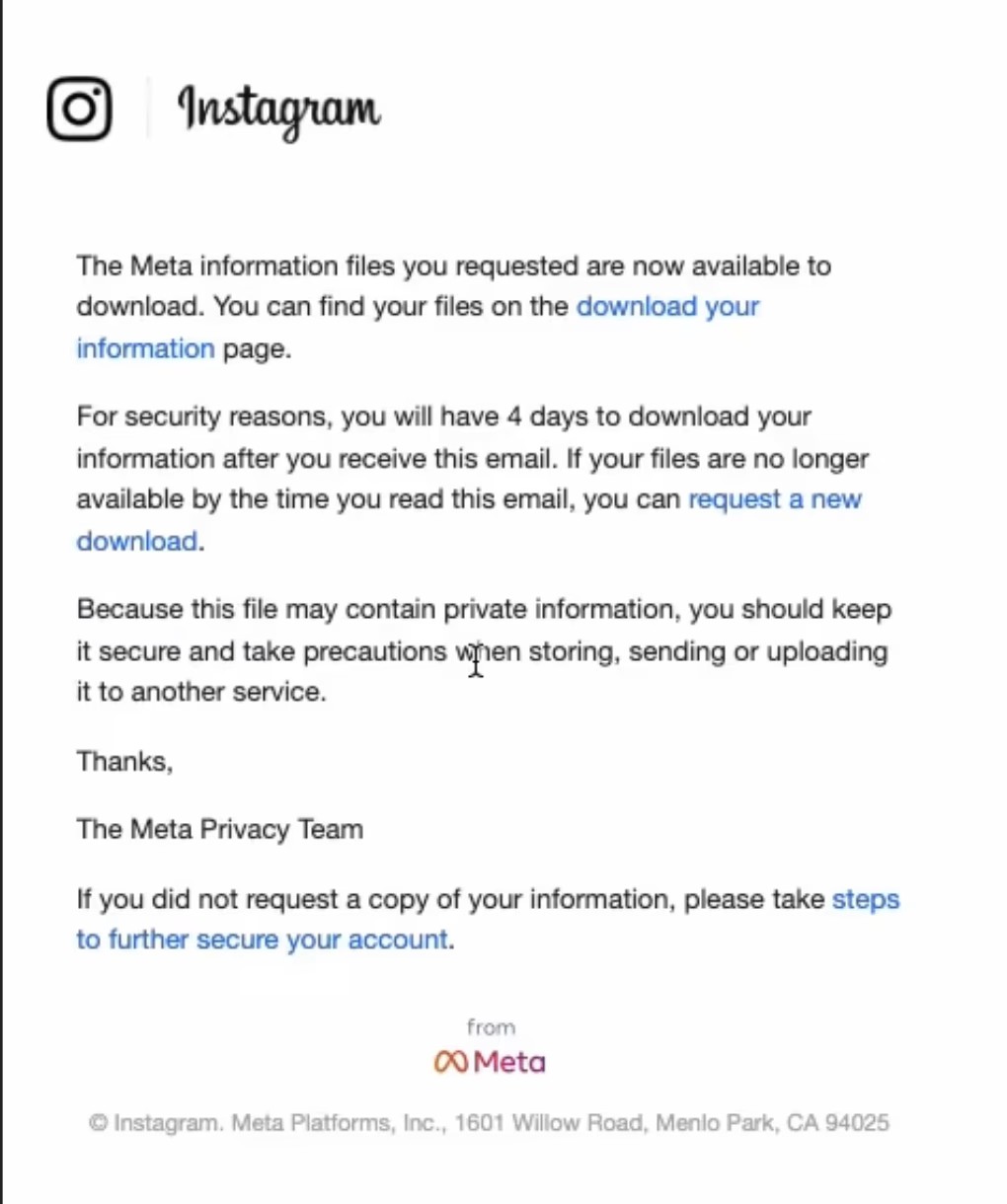
- Instagram will email you when your file is ready.
- Open the email and download your file.
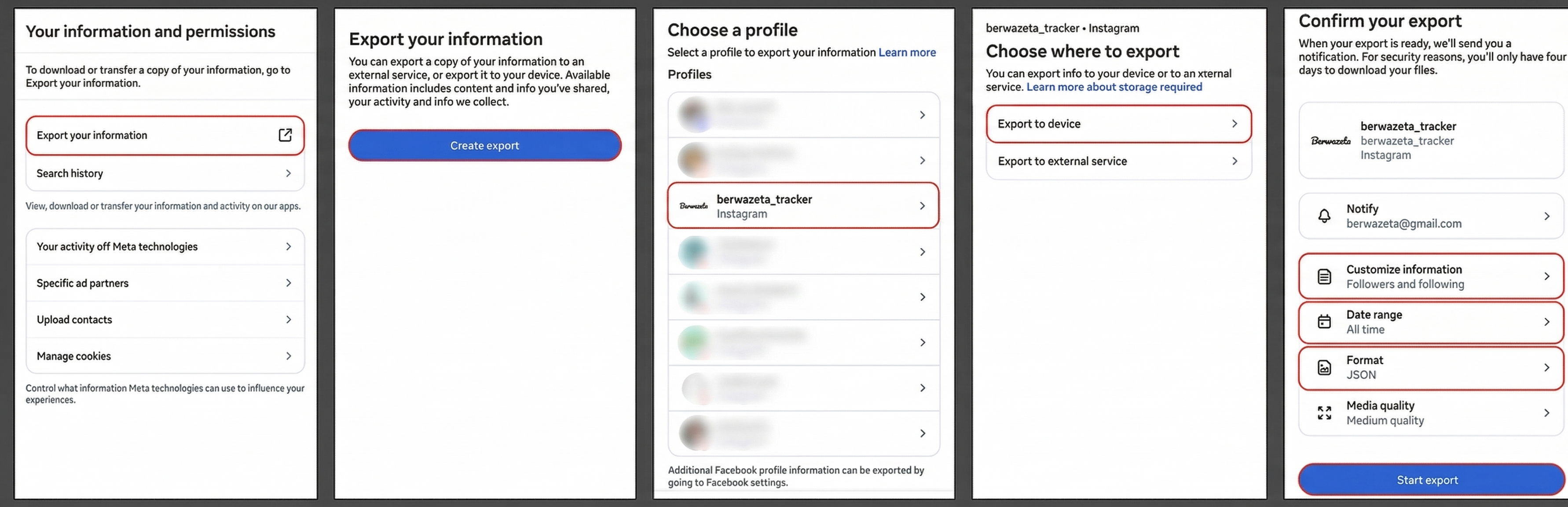
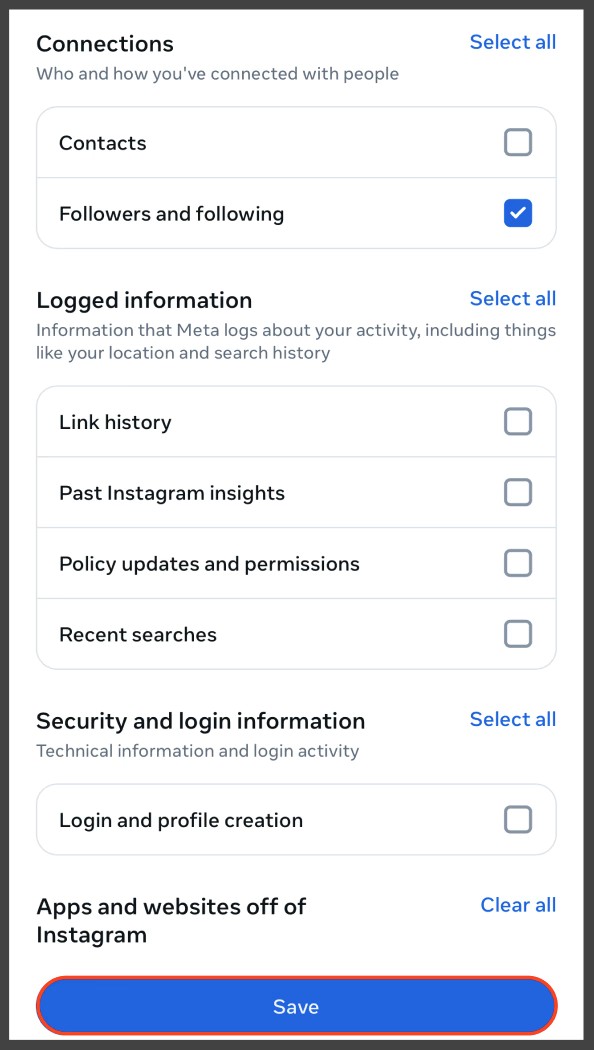
Make sure every other option is unchecked in the Customize information step. Only Followers and Following should remain selected.
In Berwazeta:
- Open Berwazeta.
- Upload the downloaded file.
- Open the results page.
Path B - Download your information
This works the same on the Website and the App.
- Click or tap Download your information.
- Click or tap Download or transfer information.
- If prompted, select the correct Instagram account.
- Choose Some of your information.
- Select Followers and following, then click Next.
- Choose Download to device.
- Set Date range to All time.
- Set Format to JSON.
- Click or tap Create files.
- Instagram will email you when your file is ready.
- Open the email and download your file.
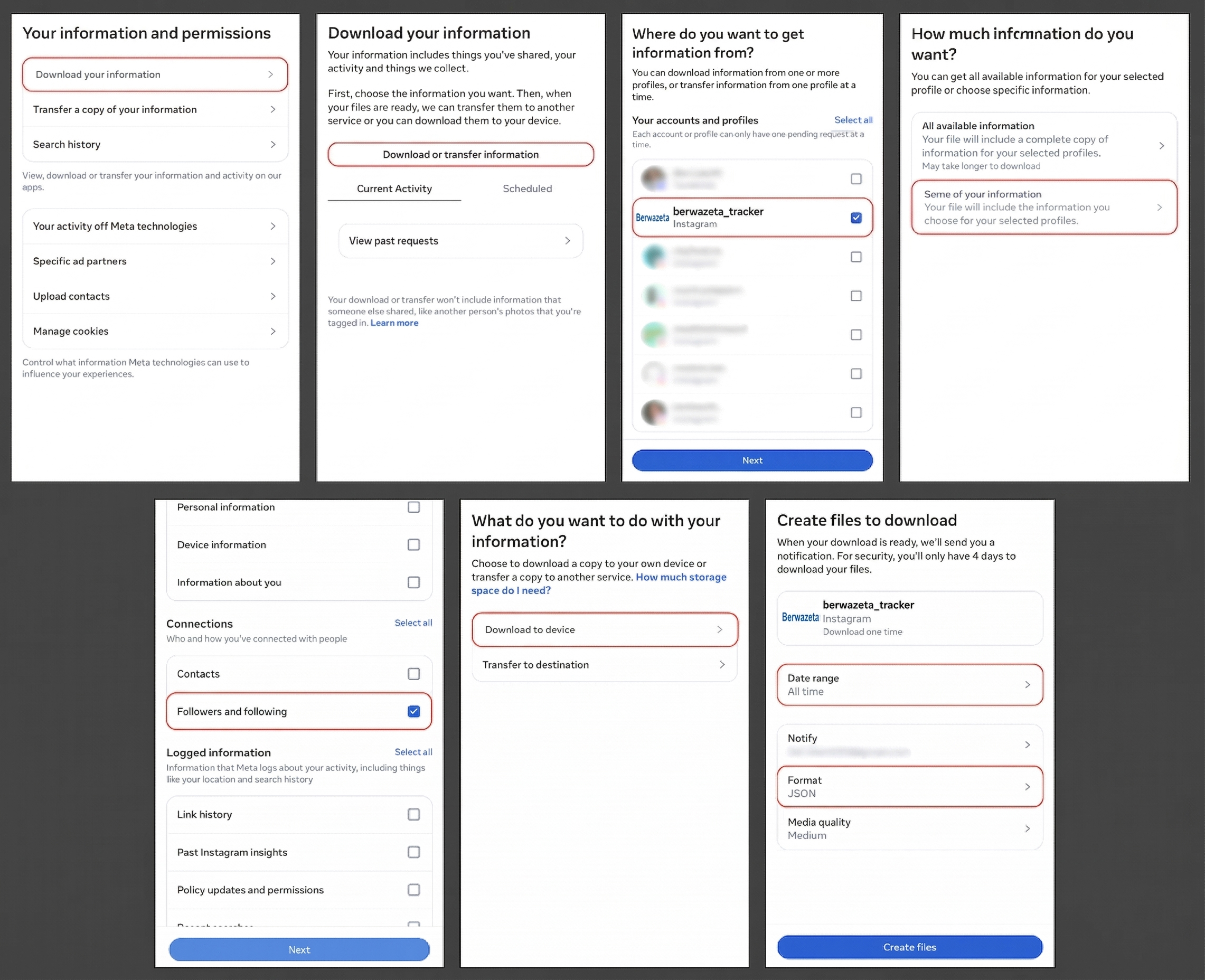
In Berwazeta:
- Open Berwazeta.
- Upload the downloaded file.
- Open the results page.
Important Notes
- Always choose All time and JSON, otherwise your results may be incomplete.
- If you manage multiple accounts, make sure you select the correct one before downloading.
- If the email does not arrive, check your Spam or Promotions folder, or request the export again.
- The email will include a confirmation and a download link to your Instagram data.
- Receiving the email may take anywhere from a few minutes to up to an hour, depending on your account size and how many followers and following accounts you have.
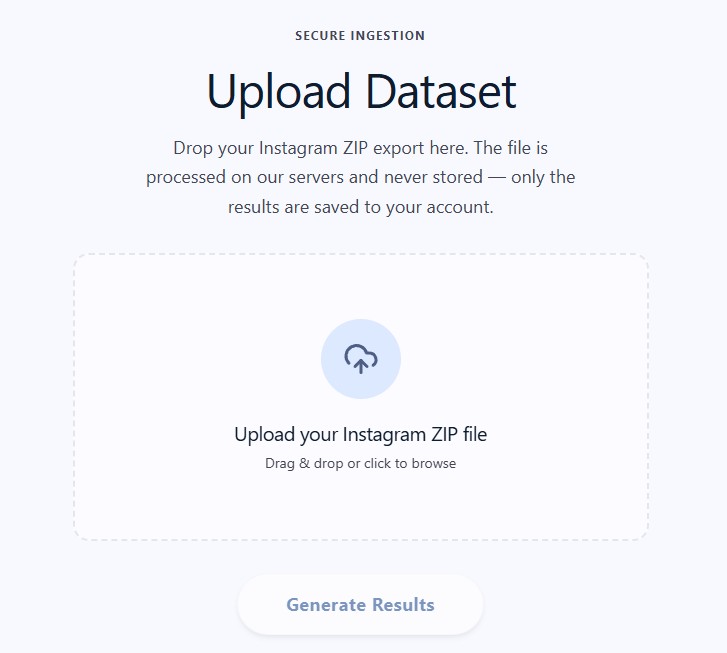
Upload the ZIP file to Berwazeta
Important: Do not unzip the file before uploading it. Upload the ZIP file exactly as Instagram provides it. If you unzip it first, your results may not display correctly.
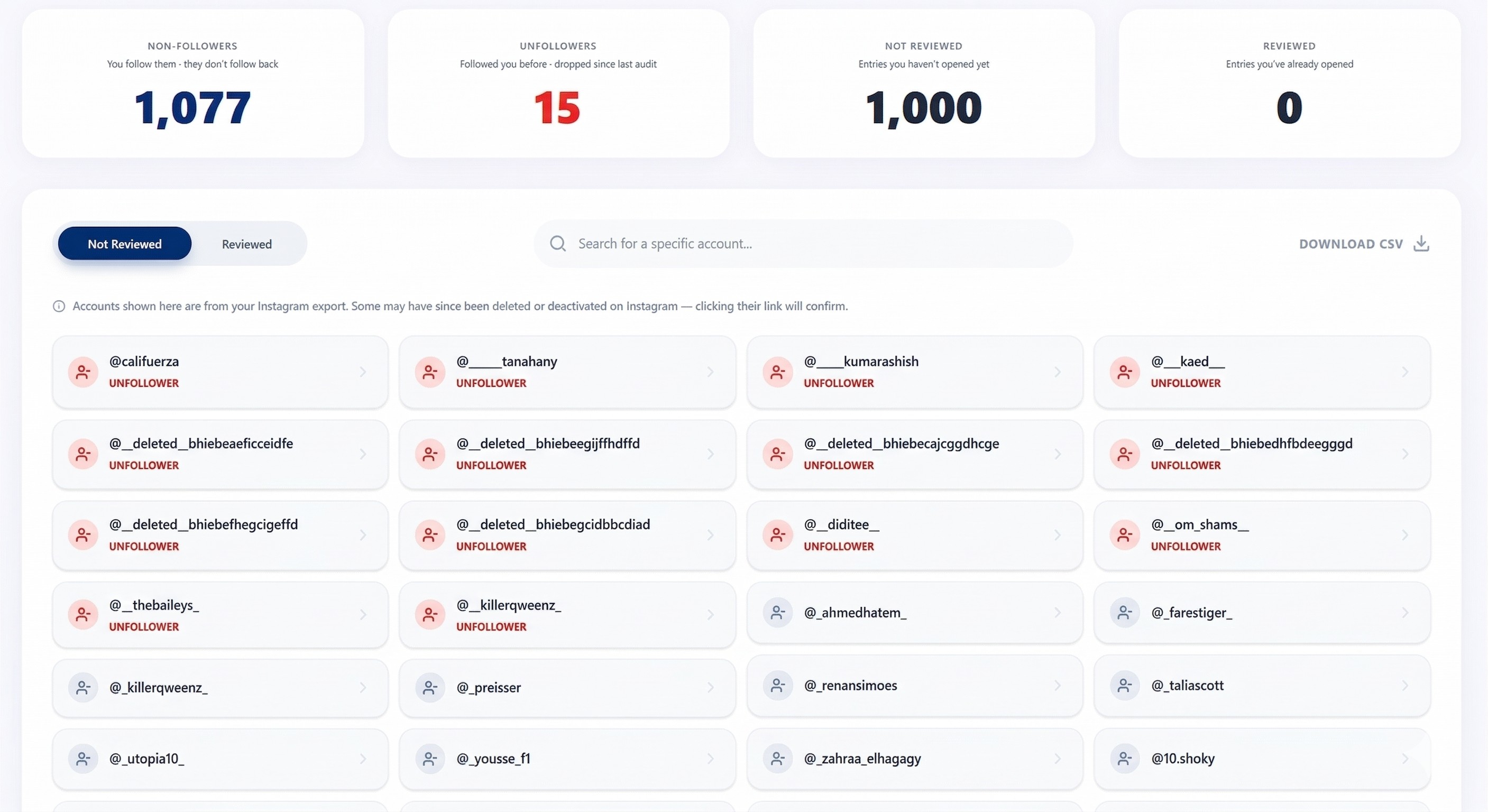
Unfollow the people who do not follow you back
To identify users who unfollowed you, you need to check who does not follow you back more than once while using a paid Berwazeta plan.
Why Do My Results Look Incorrect?
There are a few common reasons your results may look incorrect:
- You unzipped the file before uploading it.
- You selected the wrong Instagram account when requesting the download.
- You left the file format as HTML instead of changing it to JSON.
- You did not set the date range to All time.
- You uploaded files for a different Instagram account than the one connected in Berwazeta.
How Do I Fix It?
- Delete the incorrect upload from your analytics page.
- Repeat the full download process carefully from the beginning.
- Make sure you upload the file to the correct Berwazeta account.
Why Berwazeta Is a Better Way to Find Unfollowers
Safer for your account: Berwazeta uses the data you request directly from Instagram instead of relying on risky tracking methods.
Transparent process: You stay in control of the full process from start to finish.
More accurate results: Your results come directly from the Instagram data export you requested.
Easy to use: Upload the ZIP file and review your results inside Berwazeta.